From paper to calendar
in seconds.
Snap a photo of any schedule, syllabus, or whiteboard. SnapSchedule reads the date, time, and location for you, then sets a reminder so you actually show up.
Built for messy real-world schedules.
SnapSchedule reads handwriting, ignores doodles, and figures out "next Friday" in your timezone. It just works.
Snap, don't type
Point your camera at a schedule. We do the reading. Works on printed handouts, handwriting, whiteboards, and photos from your library.
Apple Calendar sync
Confirmed events drop straight into the Calendar app, so they show up everywhere — phone, Mac, iPad, Watch.
Reminders that fit
Pick 15 minutes, 1 hour, or 1 day — applied per event. We won't badger you, but we won't let you miss a thing.
Confidence score
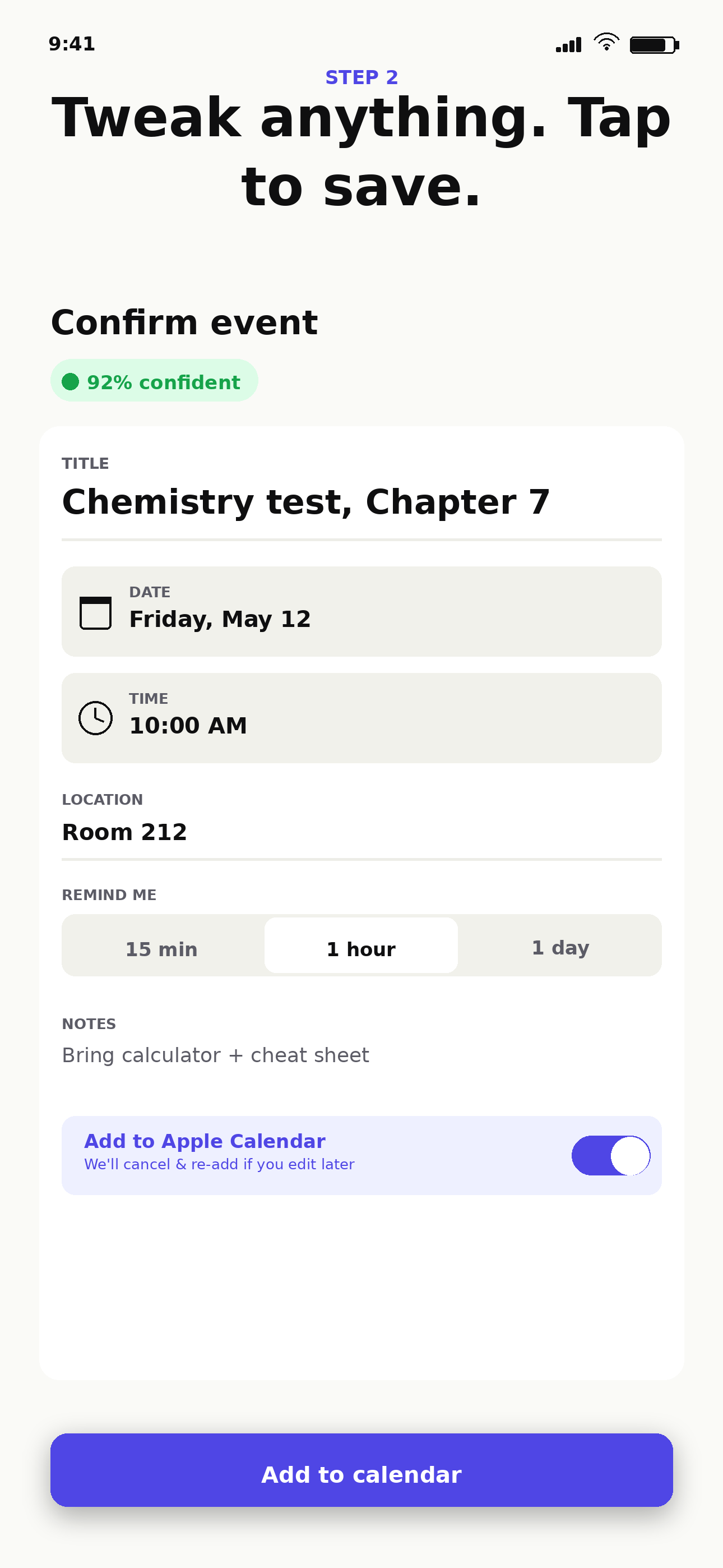
Every scan tells you how sure it is. Above 85% — confirm and go. Below — we flag what to double-check.
Private by default
No accounts. Photos are processed and instantly discarded. Your scan history lives on your device, not on our servers.
Light & dark mode
Off-white in the day, deep matte black at night. Picks up your iOS preference automatically — or pin it.
Three steps. Ten seconds.
No setup. No signup. Just snap.
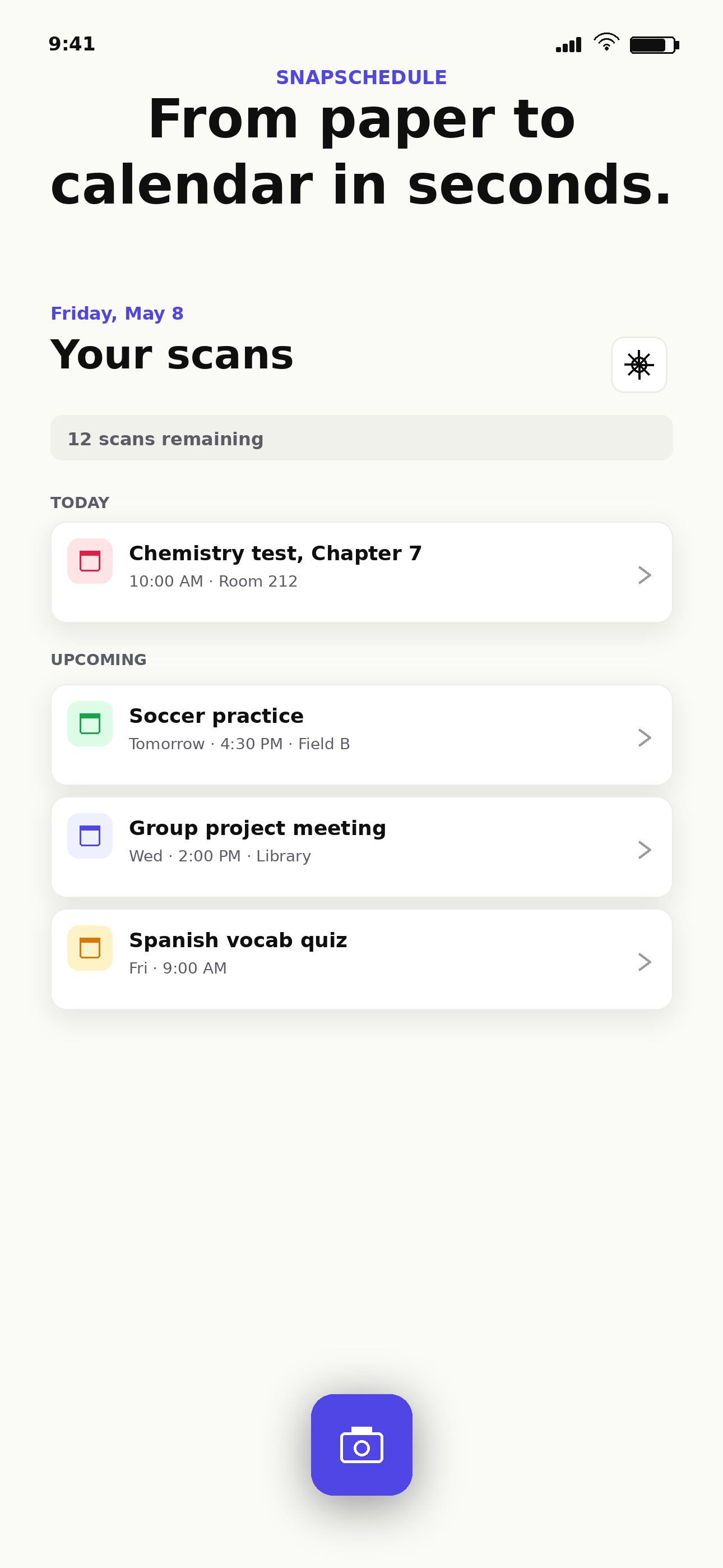
Snap the schedule
Open the app, frame the schedule. Whiteboards, syllabi, handwriting — bring it.
Tweak if you want
We pre-fill the title, date, time, and location. Edit anything before saving.
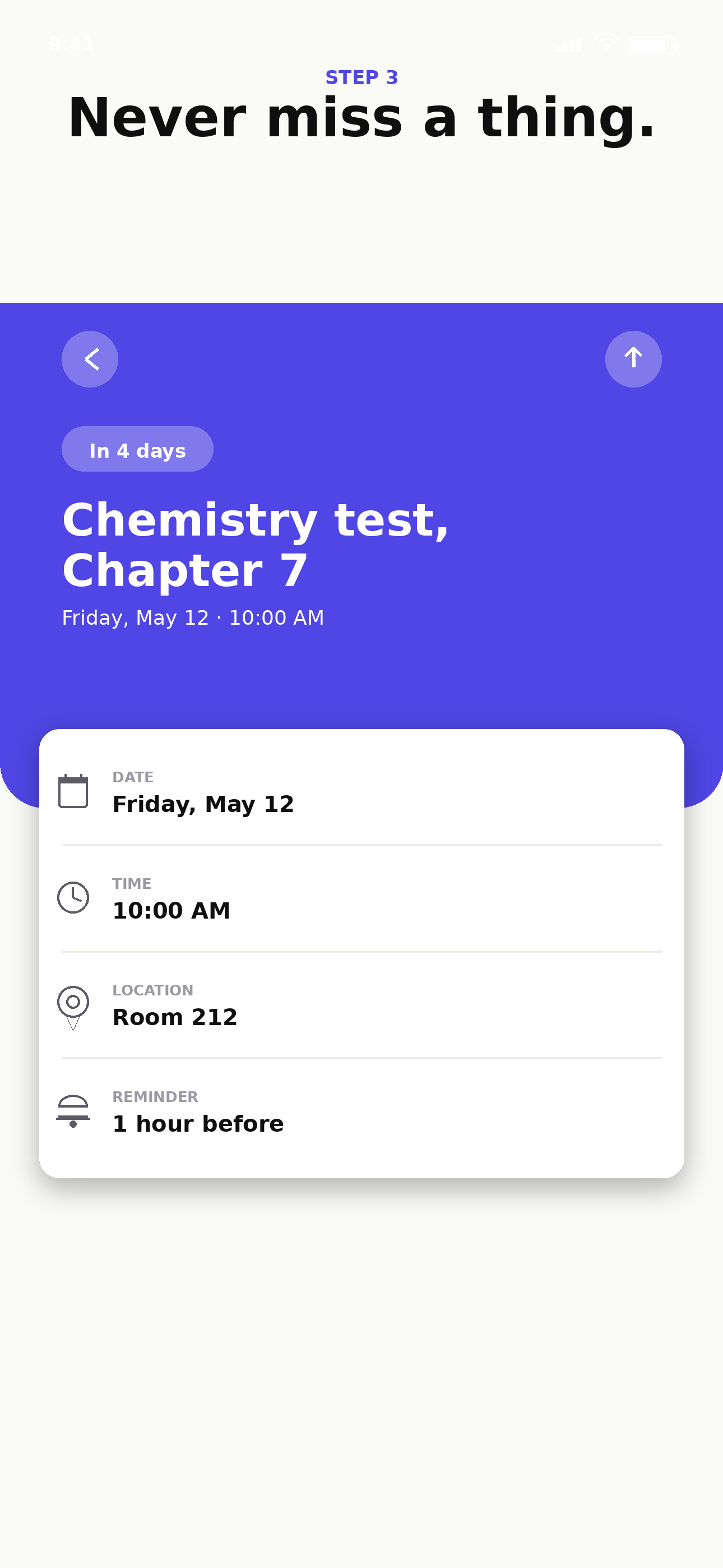
Stop missing things
The event lands in your calendar with a reminder set. You're done.
Free to start. Cheap to keep.
15 scans free. Top up only if you actually use it. Pro for power users.
100 scans
- ~2 weeks of light use
- No subscription
- Credits roll over forever
500 scans
- ~3 months of regular use
- Best value for students
- Credits roll over forever
SnapSchedule Pro
- Scan as much as you want
- For power users
- Cancel from iOS Settings
Frequently asked
Anything else? Email support@snapschedule.app.
How accurate is it?
For printed schedules, accuracy is essentially perfect. For neat handwriting we hit ~95%. For messy chalk on a whiteboard you might need to tweak the title — every scan shows a confidence score so you know when to double-check.
Where do my photos go?
Photos are sent over an encrypted connection to our reading server. The server processes the image in memory and discards it the moment it sends back the extracted text. Nothing is stored, sold, or used for training. Read the full privacy policy here.
Do credits expire?
No. One-time credit packs (100 or 500 scans) never expire. Pro is monthly — if you cancel, scans you already used are still saved as events, but you go back to using your remaining one-time credits.
Does it work offline?
Reading a new schedule needs an internet connection. Once a scan is saved, viewing your events, getting reminders, and editing existing entries all work fully offline.
Can I cancel my subscription?
Yes — anytime. Open Settings → SnapSchedule Pro → Manage subscription, or go to the iOS Settings app → your name → Subscriptions. Pro stays active until the end of the current billing period.
I'm being charged but credits aren't appearing.
Tap "Restore purchases" in Settings or on the Paywall screen. If that doesn't fix it, email us at support@snapschedule.app with your Apple receipt — we'll fix it within a day.
Is there an Android version?
Not yet. The codebase already supports Android (it's React Native), so it's a matter of when, not if. Email support if you'd be a beta tester.
Still stuck?
Email a real human — we usually reply within a day.